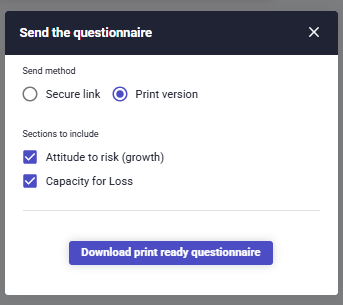
When going into the Client Profile section for a client, you'll see a 'Send questionnaire'. This button gives the option to create a secure link or a printable questionnaire to send to your client:

If its the secure link that you need, click the 'Generate secure link' button and then use the 'copy button:

If you need a printable version, change the Send method to 'Print version' and click the 'Download print ready questionnaire'. This will open a PDF version that can be printed.