
For those users who are classed as 'Admin' users, within Settings you will find a section called 'Firm Customisation'.
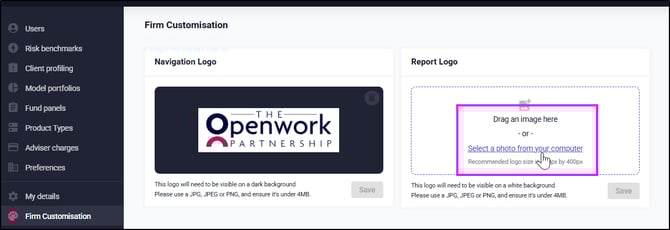
To show your logo in the top left hand side of EVPro, add your logo into the 'Navigation Logo' section. Use the 'Drag an image here' or 'Select a picture from your computer'.
Use the 'Report Logo' section to add your logo which will then appear on any report that is created from within EVPro.
EVPro will re-size the logo for use on the reports as soon as it is added.